What is the meaning of affordance and constraints??? How does this affects the classroom???
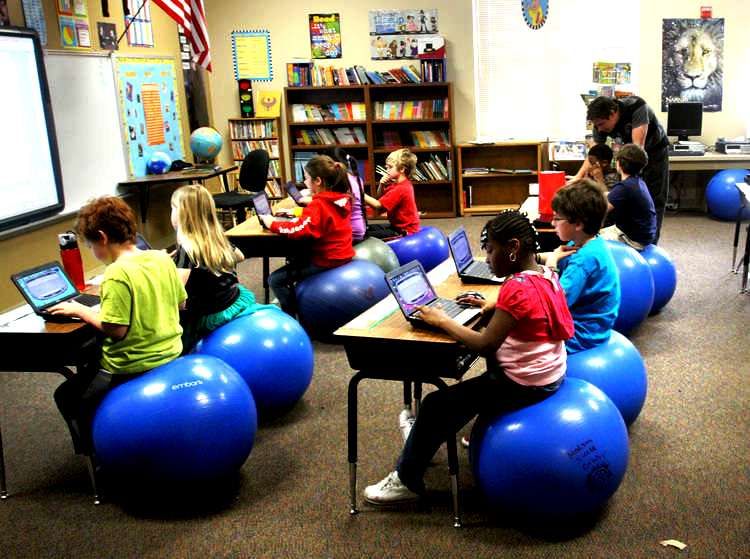
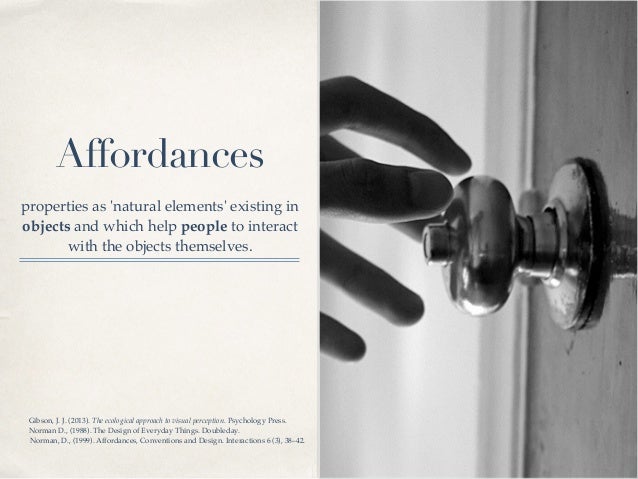
Affordance in the classroom are tools that enables you to do certain things. Things that are allowed to be used in the classroom but these things you have readily available to you. Examples of affordances are crayons or color pencils and also paper. These things maybe provided by your districts or school. So you will not have to pay for them out of pocket.
Constraints in the classroom is a limitation or restriction from using a tools or software. An example of an constraint is if the school or teacher buy laptops for the students to us during class time, but the school does not have WiFi. In this case the laptops would be a constraint because the students will not be able to use them at school for school work.
Tambria Walker Summer 2017
Sunday, September 3, 2017
Copyright
Copyright laws wow.... It's a ton of laws and rules about copyright that I did not know. They all are important but I am going to share a few important one with you on today. Copyright is when an item is protected and only the author or creator can use it as long as the copyright is active. Copyright is basically giving the owner the right to use or edit material they have published. Anyone else that want to use the material that is copyright they have to ask permission from the owner to use the material. You will know when something is protected by copyright law because it will have the symbol © at the of the title or name. There are copyright laws on websites, pictures, program software, books , music etc. Students, teachers and schools are also protected by copyright laws Almost everything is protected by copyright laws, this is why you have to be careful about copying and pasting from the internet. To protect us the there are fair use law. This law is part of U.S copyright law that says part of a movie, music, book or commercials can be used without breaking any copyright laws and you also don't need permission to use it. You also have to be careful with this as well. There are so many rules behind copyright, so you have to be careful about what you copy and paste off the internet. If you do not understand or know the law it could be stealing which will result in fees and fines.
Tuesday, August 29, 2017
Class is Ending...
What I got from this class.... At the start of this class I had a list of things I assumed I would learn from taking this class. On that list I assumed I would learn how to create a blog and how to use technology in the classroom when I became a teacher. DID I ASSUME CORRECTLY... YES... this class has been great I enjoyed every class session we had. I learned so much from this class I don't know where to start. I learn how to create my own blog and how to publish a post within the blog. I learned about Piktochart and how to make a inforgraphic (which I had never heard of before taking this class.). Another thing I learned about in this class was TPack, before taking this class I had never heard of TPACK. After taking this class I learned what TPACK is and how it can have a great effect on students learning if it used correctly. We also talked and learned about Diigo which it's a bookmarking website. I think this was a great tool to learn about because now I can have everything I may have researched ( articles, pictures, etc) all in one place. We learned how to use Twitter and I thought I personal would not have a use for Twitter. By using twitter I learn how to keep up with out educational post and different things they may post about education. The most challenging part of the class for me was learning how to make our movie about one important person in the history of computing. This was a challenge for me because we had to learn a program that was new to me called movie maker. After learning the basic of the program I started playing with it and it's actually not so bad after all. OH YEA, I can not forget about all of the google apps, professor showed us in google. I am pretty sure I will continue to use a lot of the information I learned from this class (especially some of the google apps including blogger.). I never realize how great an effect technology can have on students and our life if we use it well. This was my first class here at National Louis and it was great. I would not have learned all of the information if it wasn't for Professor Cunningham. Thank you for being so kind, patient, and helpful. You made the work in this class fun to learn and easy to learn. Thank you so much for all of the positive feedback you would give use about our work. This class has been great. Monday, August 14, 2017
What is Media Literacy
Fake or Real......
Media literacy is the ability to understand, interpret, evaluate and create media (this include but is not limited too...T.V, radio, internet, newspaper, music, etc). These forms of media and a many others are used and are around us daily. Whether we get our stories and news from a new station, Facebook or Twitter we have to be careful of what we believe and we also have to be careful about what we tell other people. This is where media literacy come into play and this is where we decide if what he hear is true or not. It is very possible that some of the news/stories we hear are false, so before spreading that news around we have to make sure its true. How can we make sure it's true??? we have to check the source from which the information is coming from. It is shocking to me that only about 39% of American adults can spot news that is made up (I wonder do I fall into that category lol). Only 80% of students that are in middle and high school can tell what is really news and what is fake. If that many older children and adults have a hard time spotting the truth, i can not image how many of our elementary and younger students can. Yes, it is really scary. I find it very important for us as educator and as adults to monitor what we believe is true and to also monitor what our child watch on t.v or what type of games they are playing. We can not hide our children from media but we can teach them what is really and what is not real.Tuesday, August 8, 2017
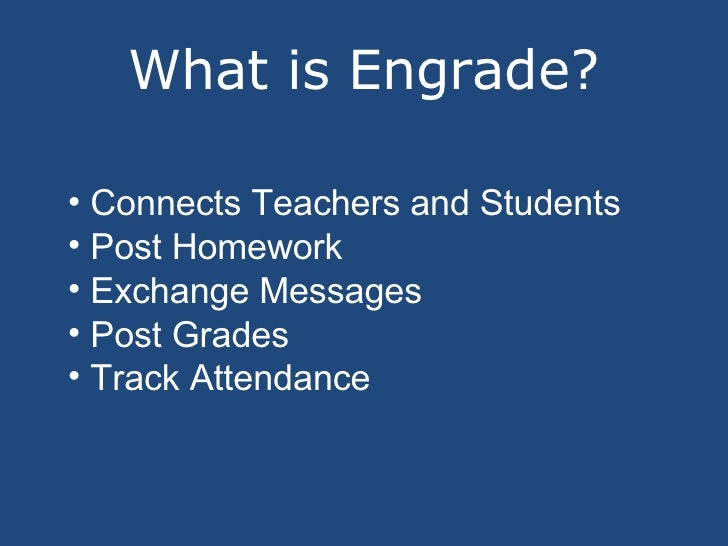
Engrade Web tool 2.0
Monday, July 24, 2017
What is a Flipped classroom???
What is a flipped classroom????? Is it a room that is turned upside down with students working on their heads.... well to some that maybe true. Let me explain what a flipped classroom really is. It evolves the students learning through video lectures at home on their own time and hands on experiments in the classrooms. The lecture time will mostly be o the students on time through a lecture the teacher/professor have created or through a video from an acceptable site that the teacher/professor has provided for the students. A flipped classroom is designed to help students learn the material at their own pace through the lectures at home that way they can watch it as many time as they need to watch it in order for them to learn the material. It is also for the students that do not get the extra help from parents or caregivers at home. With the flipped classroom the professor/teacher will be able to walk around the classroom more to observe and the help the students that need the extra help with the lesson. The flipped classroom benefits all the students not just the ones that need the extra help, it help the other students that may learn better with hands on experience. I think this is a great approach to learning. I wish this was learning was this way when I was in schools. This approach may be a bit difficult to incorporate if you are teaching the little ones. If I had to incorporate this into my curriculum with the little ones I would probably try it out with a math and science lesson plan. I would try those two because most times they can work hand in hand with each other, most science have math involved with it.I would make a video explaining the lesson for science for that week and then we would spend our science time in the class working on experiments. I would probably at some point spend some time on the lecture in class for those who my not be able to access the internet or a computer or smartphone. I would also try to make all the videos compatible with smartphones for students who parents only have access to a smart phone. I think this learning approach is great for older students it could work with younger ones but it will be a challenge. Monday, July 10, 2017
TPACK????
TPack???? When I first heard this word I did not
know what to think, or where this word came from. When I first heard this word I
thought maybe it’s some sort of math problem, but wait we aren’t in a math
class. Come to find out TPack is an acronym that stands for
Technological
Pedagogical
And
Content
Knowledge
TPack was
developed by a range of scholars. Some of the scholars are Matthew J. Koehlerand Punya Mishra. These scholars believed education should be more than just a
lecture. That education should be more hands on and that the children should be
able to experience what they are learning. So that is how TPack became more
popular it is the framework of including technology with the information we
know (as the teachers) and also including it into what we are teaching the
students. This framework of teaching has been around for some years, but it
took Koehler and Mishra to push it alone more. TPack may appear to be a
framework of three parts, but it actually consists of 7 different parts.
1. Technological
Knowledge (TK)
2. Pedagogical
Knowledge (PK)
3. Content
Knowledge (CK)
4. Pedagogical
Content Knowledge (PCK)
5. Technological
Content Knowledge (TCK)
6. Technological
Pedagogical Knowledge (TPK)
7. Technological
Pedagogical Content Knowledge (TPack)
Each of these separate but
equal parts plays an important role in forming TPack. Now that I have learn
more about TPack I know it’s not some type of complex math problem, but instead
it’s a way of integrating technology into the classroom.
Subscribe to:
Comments (Atom)